Tool Center Point Settings
What You See
A section in a software interface dedicated to the Tool Center Point (TCP) with a dropdown indicator, suggesting more options are available within this section. There are four buttons: "Load Tool," "Default TCP," "Edit Tool," and "Clear Tool."
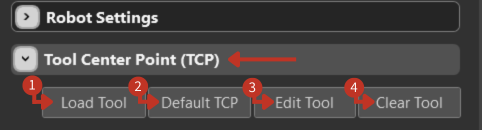
Tool Center Point configuration interface with tool management options
What It Means
This part of the interface focuses on the configuration of the Tool Center Point (TCP), a key reference point in robotic programming.
Load Tool
"Load Tool" allows users to select and load predefined tool parameters, perhaps from a library of tools.
Default TCP
"Default TCP" resets the TCP to its standard default values, which can be a quick way to ensure a known starting position.
Edit Tool
"Edit Tool" gives the option to modify the current tool's details, allowing for customization of the TCP settings.
Clear Tool
"Clear Tool" is used to disassociate the tool from the current setup.
Usage Tips
- Always load the appropriate tool before beginning operations
- Use Default TCP when troubleshooting positioning issues
- Edit Tool allows fine-tuning of existing configurations
- Clear Tool before switching between different tool setups